iOS 17 ASO Impact and Adaptation: Strategies for Enhanced App Store Visibility
iOS 17 introduced features like StandBy Mode and Interactive Widgets, fundamentally altering App Store Optimization. Developers must adapt metadata, visuals, and user engagement strategies to leverage these changes for sustained organic growth and improved app discoverability.
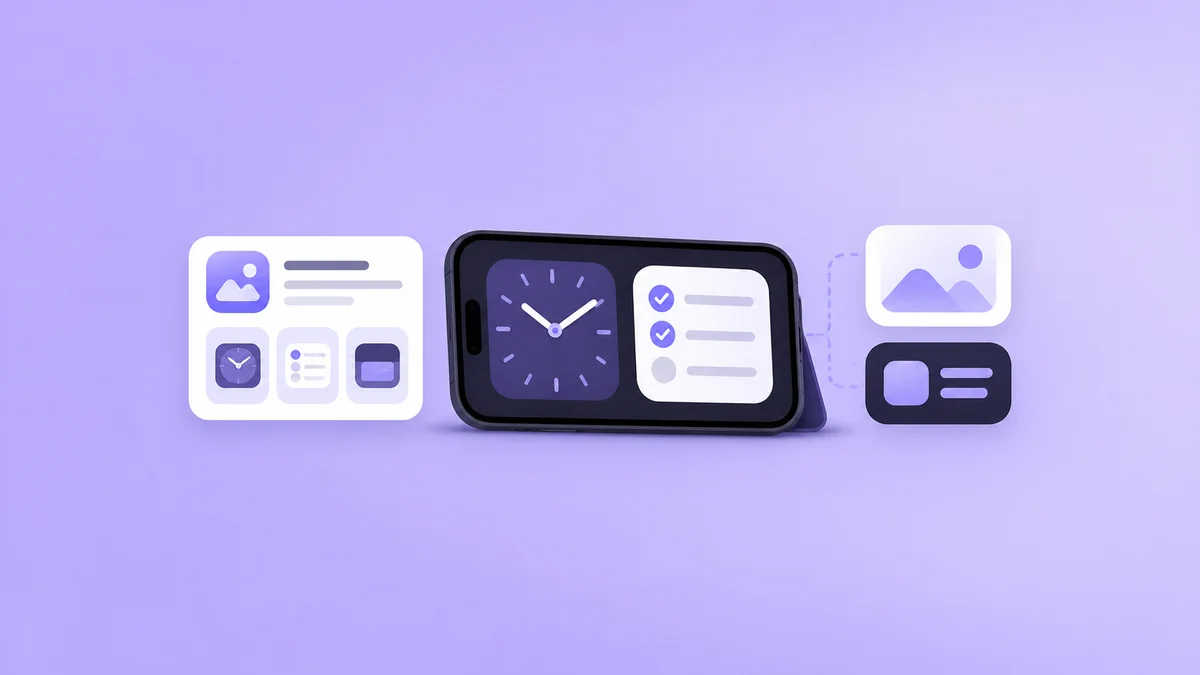
iOS 17's ASO impact and adaptation refers to the strategic adjustments app developers must implement to their App Store presence, metadata, and user engagement models in response to new features like StandBy Mode and Interactive Widgets, aiming to capitalize on fresh visibility points and enhanced user interaction opportunities for improved organic discoverability and sustained growth.
Apple's iOS 17 update, released in September 2023 following its announcement at WWDC 2023, introduced several features that fundamentally reshaped the landscape of App Store Optimization (ASO). Understanding the specific iOS 17 ASO impact and adaptation requirements is critical for developers aiming to maintain and enhance organic visibility. This update moved beyond incremental improvements, offering new avenues for app discoverability and user engagement that necessitate strategic adjustments to ASO practices.
How Do iOS 17 Features Influence App Store Optimization?
iOS 17 brought forward innovations primarily focused on user experience, but these directly translate into new ASO considerations. The most significant features impacting ASO are StandBy Mode and Interactive Widgets. These features create new touchpoints for user interaction and app visibility outside the traditional app icon and app open sequence.
What is the ASO Impact of StandBy Mode?
StandBy Mode, activated when an iPhone is charging horizontally, transforms the device into a smart display. It showcases widgets, Live Activities, and full-screen clocks. For ASO, StandBy Mode introduces a new passive visibility channel for apps.
- App Icon Visibility: In StandBy Mode, certain widgets or Live Activities may display an app's icon. This increases the importance of a clear, recognizable, and distinct app icon that communicates the app's core function at a glance, even in a smaller format or against varying backgrounds. A well-designed icon can prompt a user to search for the app later.
- Widget Engagement: Apps offering relevant widgets for StandBy Mode gain continuous exposure. For instance, a weather app's widget displaying current conditions becomes a constant presence. Developers must optimize widget content to be informative and engaging without requiring direct app interaction, subtly reinforcing brand presence.
- Live Activities: Apps utilizing Live Activities (e.g., sports scores, food delivery tracking) gain prominent, real-time visibility in StandBy. Optimizing the information presented in Live Activities for clarity and immediate value enhances user experience and reinforces app utility, which can positively influence ratings and reviews over time.
This constant, ambient visibility can influence recall and direct searches within the App Store. Developers should consider how their app's core utility can be distilled into a glanceable format suitable for StandBy.
How Do Interactive Widgets Change ASO Strategy?
Interactive Widgets, a major enhancement in iOS 17, allow users to perform actions directly from the Home Screen or Lock Screen without opening the app. This represents a significant shift in user engagement and, consequently, ASO.
- Reduced Friction, Increased Retention: By enabling actions like checking off a to-do item or toggling a smart home device directly from a widget, apps reduce the friction associated with opening the full application. This enhanced convenience can lead to higher user satisfaction and improved retention rates. App retention is a critical factor in the App Store algorithm, signaling app quality and relevance, as detailed in our guide on how app store algorithm works.
- Enhanced User Signals: Increased widget interaction generates valuable user engagement signals. While not directly indexed as ASO keywords, sustained interaction patterns and reduced churn rates contribute to the App Store algorithm's perception of an app's value. Apps that effectively leverage interactive widgets are likely to see better long-term performance.
- Discovery and Utility Demonstration: Well-designed interactive widgets can serve as mini-demonstrations of an app's core utility. For example, a note-taking app widget allowing quick creation of a new note visually communicates its efficiency, potentially attracting new users who see the widget on another user's device or in promotional materials.
Developers must design interactive widgets that are intuitive, perform a meaningful function, and complement the full app experience. These widgets are not merely static displays but active entry points to the app's functionality.
Do iOS 17 App Store Search Enhancements Impact ASO?
While iOS 17's primary focus was not on a complete overhaul of the App Store search algorithm itself, Apple consistently refines its search and discovery mechanisms. Continuous improvements to natural language processing and relevance ranking mean that high-quality, relevant metadata remains paramount.
- Semantic Understanding: Apple's search algorithms are increasingly sophisticated at understanding user intent beyond exact keyword matches. This means a holistic approach to metadata, including a descriptive app name, compelling subtitle, and relevant keywords, is more crucial than ever. For instance, if an app has a strong interactive widget feature, ensuring "interactive widget" or similar semantic variants are implicitly supported by the app's description and promotional text can aid discoverability for users seeking such functionality.
- App Store Story Integration: Apple's editorial content, including "App Store Stories" and curated collections, continues to be a significant discovery channel. Apps that offer innovative uses of iOS 17 features, such as StandBy or Interactive Widgets, are more likely to be featured, leading to substantial organic visibility boosts.
Adapting Your ASO Strategy for iOS 17
Effective iOS 17 ASO adaptation requires a multi-faceted approach, focusing on metadata, visual assets, and user engagement.
- Optimize for Widget Searchability: While widgets themselves don't have separate ASO fields, ensure your app's main metadata (app name, subtitle, keywords) subtly hints at or explicitly mentions the value proposition of your widgets, especially interactive ones. Use terms that describe the functionality offered via widgets.
- Refine App Icon for Glanceability: Test your app icon's legibility and impact in various contexts, including StandBy Mode's smaller display areas and different background colors. A clear, high-contrast icon is essential.
- Showcase Widgets in Screenshots and Previews: Utilize your App Store product page screenshots and app preview videos to prominently display your StandBy widgets and interactive widgets in action. Demonstrate their utility and ease of use. This directly communicates value to potential users.
- Leverage Live Activities: If your app can benefit from real-time updates, implement Live Activities and ensure their content is concise and impactful. Highlight this feature on your product page.
- Monitor Engagement Metrics: Track widget usage, app launches from widgets, and retention rates post-iOS 17. These metrics provide insights into user satisfaction and the effectiveness of your widget strategy, which indirectly influences ASO through algorithmic signals.
- Update Product Page Descriptions: Clearly articulate how your app leverages iOS 17 features. Explain the benefits of your StandBy experience and interactive widgets in your promotional text and description to inform and attract users.
The following table illustrates key ASO elements and how they require adaptation post-iOS 17:
| ASO Element | Pre-iOS 17 Strategy | Post-iOS 17 Adaptation |
|---|---|---|
| App Icon | Optimized for Home Screen, Search Results | Optimized for Home Screen, Search, StandBy Mode, Widgets |
| Metadata | Keywords, Subtitle, Promotional Text | Keywords, Subtitle, Promotional Text, Widget-specific benefits |
| Screenshots | App UI, core features | App UI, core features, Widget demonstration, StandBy integration |
| App Previews | Core app flow, key functionalities | Core app flow, key functionalities, Interactive Widget usage |
| User Engagement | App opens, notifications, ratings | App opens, notifications, ratings, Widget interactions, Live Activities |
| Retention | In-app value, push notifications | In-app value, push notifications, Widget-driven convenience |
Developers must consider these new dimensions of user interaction and visibility when planning their ASO strategies. For instance, a well-implemented interactive widget for a productivity app that allows quick task completion might significantly reduce churn, a positive signal for the App Store algorithm. This emphasis on user experience also impacts how developers might approach paid acquisition, as explored in our insights on Apple Search Ads changes.
Frequently asked questions
What are the primary ASO changes introduced by iOS 17?
The primary ASO changes in iOS 17 stem from new user experience features like StandBy Mode and Interactive Widgets. These create new opportunities for app visibility outside the traditional app launch, requiring developers to optimize app icons for glanceability and design widgets for direct user interaction and utility.
How can StandBy Mode benefit my app's discoverability?
StandBy Mode offers passive visibility for apps through widgets and Live Activities displayed when an iPhone is charging horizontally. By having a well-designed widget or Live Activity, your app's icon and core utility can be consistently present, increasing brand recall and potentially leading to direct App Store searches.
What is the role of Interactive Widgets in improving app retention?
Interactive Widgets allow users to perform actions directly from the Home Screen, reducing the need to open the full app for simple tasks. This reduced friction enhances user convenience and satisfaction, which can lead to higher engagement and improved retention rates, a key factor signaling app quality to the App Store algorithm.
Should I update my app's screenshots for iOS 17?
Yes, updating your app's screenshots and app preview videos is crucial. These visual assets should now prominently feature your app's StandBy widgets and interactive widgets in action. Demonstrating these new iOS 17 functionalities directly on your product page helps communicate value to potential users and drives downloads.
How does iOS 17 impact keyword strategy for ASO?
While iOS 17 didn't introduce new keyword fields for widgets, its features influence keyword strategy indirectly. Developers should consider incorporating terms related to widget functionality and StandBy Mode benefits into their app's description and promotional text. This ensures that users searching for apps with these specific features can find your offering.
Sources
- Apple Developer. (2023, June). What's new in iOS 17. Retrieved November 1, 2023, from https://developer.apple.com/whats-new/
- Apple Developer. (2023, June). Widgets and Live Activities. Retrieved November 1, 2023, from https://developer.apple.com/design/human-interface-guidelines/widgets
- Apple. (2023, September 12). iOS 17 makes iPhone more personal and intuitive. Apple Newsroom. Retrieved November 1, 2023, from https://www.apple.com/newsroom/2023/09/ios-17-makes-iphone-more-personal-and-intuitive/
Put it into practice
Put your iOS research into practice with keyword campaigns for your chosen App Store storefront. New accounts receive 50% off their first order.