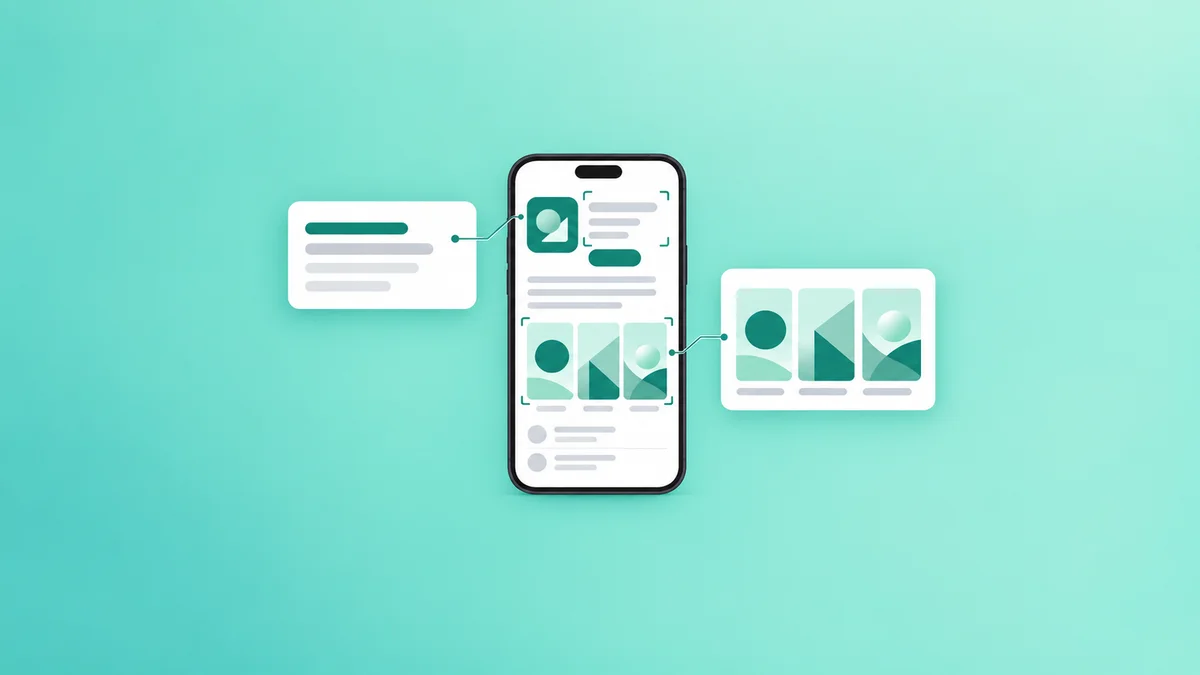
Maximizing Conversion with Google Play Custom Store Listings
Google Play Custom Store Listings enable developers to create tailored app store experiences for specific user segments, significantly enhancing conversion rates and user acquisition efficiency by presenting relevant content and calls to action.
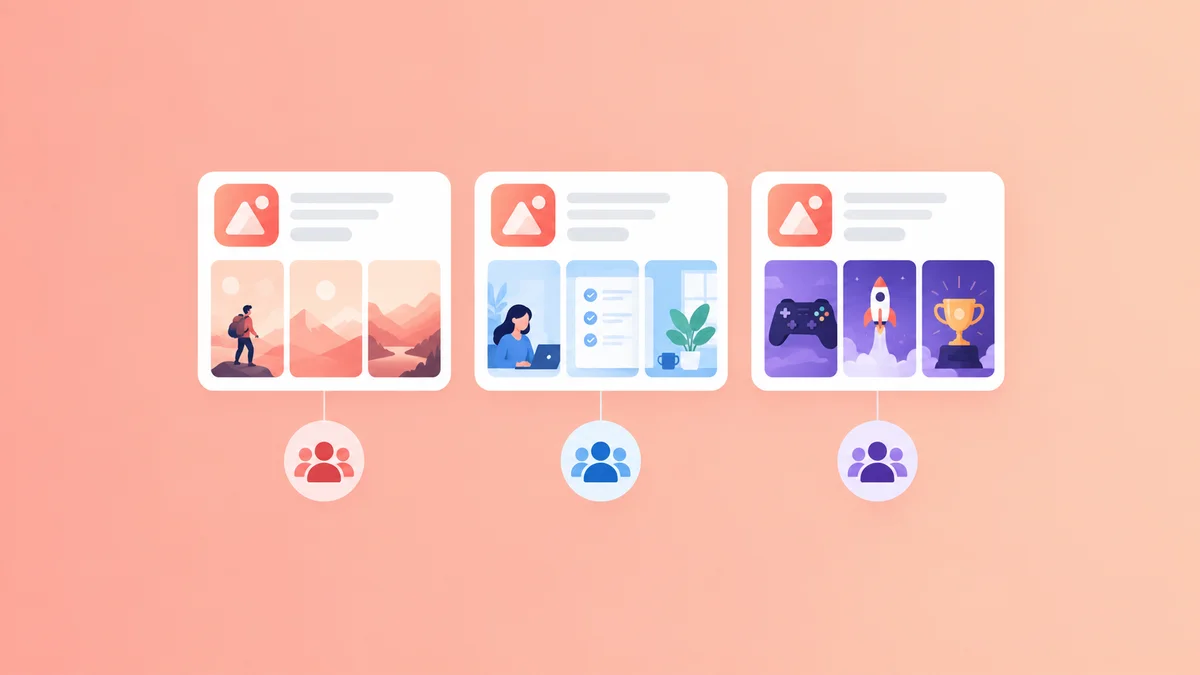
Google Play Custom Store Listings are specialized versions of your app's store page, designed to target distinct user segments with unique graphical assets, descriptive text, and promotional content, thereby optimizing relevance and improving conversion rates for specific audiences. This feature allows developers to move beyond a single, generic store presence, creating tailored experiences that resonate directly with varied user interests and demographic profiles on Google Play.
What are Google Play Custom Store Listings and How Do They Work?
Google Play Custom Store Listings provide developers with the capability to create up to 50 distinct versions of their app's product page. Each custom listing can feature unique app titles, short descriptions, full descriptions, icons, feature graphics, screenshots, and promo videos. These tailored pages are then linked to specific user segments or acquisition channels.
The core mechanism involves:
- Audience Segmentation: Developers define target audiences based on criteria like country/region, install status (new users vs. existing users), or referral source (e.g., specific ad campaigns).
- Content Customization: For each defined segment, developers craft a unique set of store listing elements. For instance, a game app might showcase action-packed screenshots to users acquired through a gaming forum, while displaying puzzle-solving gameplay to users arriving from a casual game ad.
- Targeted Delivery: When a user from a defined segment accesses the app's listing, Google Play automatically displays the custom store listing most relevant to them. This ensures the user sees content specifically designed to appeal to their interests or acquisition journey.
In 2020, Google significantly expanded the capabilities of Custom Store Listings, allowing developers to link them directly to specific ad campaigns and measure performance more effectively, as detailed in the Android Developers Blog Google Play Console: New features to help you grow your business (2020, retrieved October 26, 2023).
Why Are Custom Store Listings Critical for ASO?
The primary benefit of employing Google Play Custom Store Listings is the direct impact on App Store Optimization (ASO) and user acquisition efficiency. By personalizing the store experience, apps can achieve higher conversion rates and better engagement from targeted audiences.
- Enhanced Conversion Rates: A store listing tailored to a specific user's interests is more likely to convert that user into an installer. For example, a travel app might highlight "adventure tours" for users in Europe and "beach getaways" for users in North America.
- Improved User Acquisition ROI: When ad campaigns lead users to highly relevant store pages, the cost per install (CPI) can decrease, and the quality of acquired users can increase, as they are pre-qualified by the messaging.
- Granular A/B Testing: Custom listings allow for more focused A/B testing. Instead of testing a single global change, developers can test specific creatives or descriptions against particular segments, gaining deeper insights into what resonates with different groups.
- Localization at Scale: Beyond basic language translation, custom listings facilitate true cultural and market-specific localization. This is particularly important for global apps, as discussed in our guide to ASO localization strategy for global visibility.
How to Strategically Implement Google Play Custom Store Listings
Effective use of custom store listings requires a clear strategy for audience segmentation and content creation.
Audience Segmentation Strategies
Defining your target audiences precisely is the first step. Common segmentation approaches include:
- Geographic Regions: Tailoring content for users in specific countries or continents.
- Example: A shopping app might display local holiday promotions and currency-specific pricing to users in Germany, while showing different deals and currency to users in the United States.
- Referral Sources: Creating unique listings for users arriving from different marketing channels.
- Example: Users clicking on a gaming ad featuring competitive gameplay might see a listing emphasizing multiplayer modes, while users from a casual social media ad might see one highlighting simple, relaxing gameplay.
- User Status (New vs. Existing): Although primarily for new users, custom listings can be used to re-engage specific existing user segments if they access the store page from a deep link.
- Demographic or Psychographic Profiles: While not directly selectable in Google Play Console, these can be inferred from ad campaign targeting.
- Example: An educational app targeting parents might have listings showcasing child-friendly interfaces, whereas one targeting adult learners might highlight career advancement features.
Content Tailoring Best Practices
Once segments are defined, the content for each custom listing must be meticulously crafted.
- App Title: While the primary app title remains global, custom listings allow for a "custom title" that appears in specific contexts (e.g., ad campaigns). This can incorporate relevant keywords or promotional phrases.
- Short Description: This critical element should immediately communicate value proposition relevant to the target segment.
- Example: For a fitness app, one listing might say "Achieve your marathon goals" for a running enthusiast segment, while another says "Quick home workouts" for a busy professional segment.
- Full Description: Expand on the value proposition, highlighting features most relevant to the segment. Incorporate keywords that segment is likely to search for.
- Graphical Assets (Screenshots, Feature Graphic, Promo Video): These are perhaps the most impactful elements. They should visually represent the features, benefits, or gameplay that resonate with the specific audience.
- Example: A productivity app might show screenshots of project management tools for a business audience, and screenshots of personal task lists for an individual user audience.
The Role of Localization
Localization extends beyond simple language translation. It involves adapting content to cultural nuances, local preferences, and regulatory requirements. Custom store listings are instrumental in achieving deep localization.
| Localization Aspect | General ASO Strategy | Custom Store Listing Strategy |
|---|---|---|
| Language | Translate all text elements. | Translate text, and use culturally relevant idioms/phrases. |
| Visuals | Generic images, global appeal. | Images featuring local landmarks, people, or cultural references. |
| Features Highlighted | Top global features. | Features most valued or legally relevant in a specific region. |
| Promotions | Global sales or seasonal events. | Local holidays, regional sales, or country-specific offers. |
| Keywords | High-volume global keywords. | Region-specific long-tail keywords and local search terms. |
For a comprehensive approach to optimizing your app's presence across different locales, refer to our guide on mastering Android optimization for global reach.
Platform Policy Considerations and Risks
While Google Play Custom Store Listings offer powerful optimization capabilities, it is crucial to adhere to Google Play's Developer Program Policies, particularly regarding User Ratings, Reviews, and Installs, and Store Listing and Promotion.
Google's policy states: "Developers must not attempt to manipulate the placement of any apps in Google Play. This includes, but is not limited to, inflating app ratings, reviews, or install counts with fraudulent or incentivized means, such as directly or indirectly paying for, or incentivizing, ratings, reviews, or installs." Google Play Developer Program Policies: User Ratings, Reviews, and Installs (Retrieved October 26, 2023).
When utilizing custom store listings, developers must ensure:
- Authenticity: All content, including descriptions and visuals, must accurately represent the app's functionality and user experience. Misleading claims or false advertising are prohibited.
- Fairness: Do not use custom listings to unfairly target or exclude specific user groups in a discriminatory manner.
- Transparency: If custom listings are linked to specific ad campaigns, ensure that the messaging in the ad accurately reflects the content of the custom listing users will land on.
- No Manipulation: Custom listings are a tool for relevance, not for artificial ranking manipulation. Any attempts to use them to generate fake installs or reviews will violate policies and can lead to app removal.
Always prioritize providing genuine value and accurate information to users across all custom store listings.
Measuring the Impact of Custom Store Listings
To gauge the effectiveness of your custom store listings, monitor key performance indicators (KPIs) within the Google Play Console:
- Store Listing Visitors: Track how many users land on each custom listing.
- Installers: Measure the number of installs generated from each custom listing.
- Conversion Rate: Calculate the percentage of visitors who convert to installers for each specific listing. This is the most direct indicator of success.
- Retention Rate: Analyze if users acquired through specific custom listings exhibit better long-term retention compared to those from the default listing or other custom listings.
- User Reviews and Ratings: Monitor feedback to understand if the tailored content is meeting user expectations.
By analyzing these metrics, you can iterate on your custom listing content, further optimizing for specific audiences and achieving better ASO outcomes. For more detailed analytics, integrate with third-party ASO tools that can provide deeper insights into keyword performance and competitor strategies.
Frequently asked questions
What is the maximum number of custom store listings I can create?
Developers can create up to 50 custom store listings for each app on Google Play. This allows for extensive segmentation and tailored content strategies across various regions and user acquisition channels.
Can custom store listings be used for A/B testing?
Yes, custom store listings are excellent for A/B testing. You can create different versions of your store page content (e.g., screenshots, descriptions) for different user segments and directly compare their conversion performance to identify what resonates best with each group.
Do custom store listings affect my app's global search ranking?
Custom store listings primarily affect conversion rates for specific targeted audiences, rather than directly influencing your app's global search ranking. However, improved conversion rates can indirectly signal higher relevance to Google, potentially contributing to better visibility over time.
How do I link a custom store listing to an ad campaign?
Within the Google Play Console, when you create or edit a custom store listing, you can generate a specific URL. This URL is then used as the landing page for your ad campaigns, ensuring users clicking the ad are directed to the relevant custom listing.
What content elements can be customized in a custom store listing?
You can customize the app title (for specific contexts), short description, full description, icon, feature graphic, screenshots, and promo video for each custom store listing. This allows for comprehensive tailoring of the user's initial impression.
Sources
- Google Play. (n.d.). Google Play Developer Program Policies: User Ratings, Reviews, and Installs. Retrieved October 26, 2023, from https://play.google.com/about/developer-content-policy/#!?zippy_activeEl=user-ratings-reviews-and-installs
- Google Play Console Help. (n.d.). Create custom store listings. Retrieved October 26, 2023, from https://support.google.com/googleplay/android-developer/answer/9848520?hl=en
- Android Developers Blog. (2020, September 24). Google Play Console: New features to help you grow your business. Retrieved October 26, 2023, from https://android-developers.googleblog.com/2020/09/google-play-console-new-features-to.html
Put it into practice
Plan an Android keyword campaign around your app, search terms and Google Play country. New accounts receive 50% off their first order.