Mastering App Store Subtitle Optimization for iOS Visibility
Optimize your iOS App Store subtitle to enhance keyword exposure and conversion rates within Apple's 30-character limit, adhering to strict guidelines. Learn strategies to craft effective subtitles that attract users and improve search performance.
App Store subtitle optimization is the strategic process of crafting a concise, keyword-rich 30-character text string displayed beneath an app's title on the iOS App Store, designed to enhance discoverability, communicate core value, and persuade users to download, all while adhering to Apple's App Review Guidelines.
The iOS App Store subtitle is a critical metadata field, serving as a secondary title for your application. It appears prominently on your product page and in search results, directly influencing both search algorithm indexing and user conversion decisions. Mastering app store subtitle optimization is therefore fundamental to organic user acquisition on Apple's platform.
What is the iOS App Store Subtitle and why does it matter?
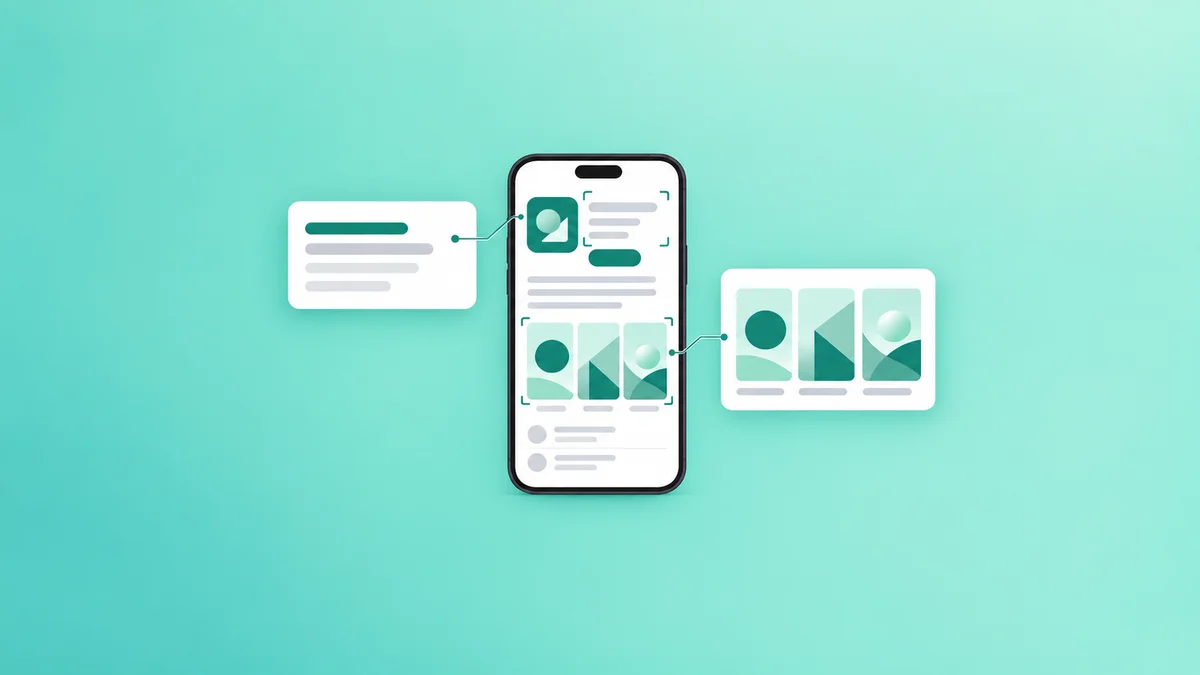
The App Store subtitle is a 30-character text field that provides additional context or a value proposition for your app. It is displayed directly below the app's name on the product page, in search results, and in various promotional placements within the App Store. Its primary functions are:
- Keyword Indexing: Apple's search algorithm indexes the subtitle for relevant keywords, contributing to your app's visibility in search results. This is distinct from the 100-character keyword field, offering an additional opportunity to rank for high-value terms.
- User Conversion: The subtitle acts as a mini-advertisement, communicating the app's core functionality or unique selling proposition to potential users at a glance. A compelling subtitle can significantly increase tap-through rates from search results to the product page.
- Contextual Clarity: For apps with generic names, the subtitle provides essential context, helping users understand the app's purpose without needing to tap into the product page. For example, "Fitness Tracker" might be complemented by "Daily Steps, Calorie Counter & Workouts."
How does the App Store Subtitle impact keyword rankings?
The App Store subtitle is a recognized ranking factor within Apple's search algorithm. Keywords included in the subtitle are indexed by Apple, contributing to the app's discoverability for those terms. This means that a well-optimized subtitle can:
- Expand Keyword Reach: By strategically incorporating relevant keywords, the subtitle allows your app to rank for terms that might not fit into the app name or the dedicated keyword field. This is particularly valuable when conducting app store keyword research for high-value keywords.
- Boost Keyword Weight: While Apple does not disclose the exact weighting of each metadata field, keywords in prominent fields like the subtitle are generally considered to carry more weight than those solely in the keyword field. This can help your app rank higher for competitive terms.
- Improve Relevancy Scores: When a user searches for a term present in your subtitle, the app store's algorithm perceives a stronger match, potentially leading to a higher ranking in search results.
It is crucial to understand that the 30-character limit necessitates a highly strategic approach. Every character must contribute to either keyword exposure or conversion.
What are Apple's guidelines for App Store Subtitles?
Apple maintains strict guidelines for all metadata, including subtitles, to ensure a high-quality user experience and prevent manipulation. Developers must adhere to these policies to avoid rejection during app review or removal from the App Store.
In 2024, Apple reiterated its emphasis on clear, honest, and non-misleading metadata in its App Review Guidelines. Specifically, Guideline 2.3.7 states, "Choose an app name, subtitle, and screenshots that accurately reflect the app’s content and functionality. Avoid using misleading titles or app descriptions, irrelevant keywords, or any of the keyword stuffing techniques that may lead to your app being rejected." Apple App Store Review Guidelines
Key compliance points for subtitles include:
- Accuracy: The subtitle must accurately describe the app's functionality or content. Misleading descriptions are prohibited.
- No Keyword Stuffing: Repeatedly listing keywords or using irrelevant terms solely for search visibility is a violation. The subtitle should read naturally and make sense to a human user.
- No Pricing or Promotional Information: Do not include prices, promotional calls to action (e.g., "Free," "Sale"), or time-sensitive information (e.g., "New for 2025"). Such details should be handled through promotional text or in-app messaging.
- No Irrelevant Keywords: All keywords used must be directly relevant to the app's core functionality or target audience.
- No Offensive Language: Subtitles must be respectful and free of objectionable content.
Policy Risk and Compliance: Failing to comply with Apple's App Review Guidelines regarding subtitles can lead to:
- App Rejection: The most immediate consequence, preventing your app from being published or updated.
- Metadata Rejection: Specific metadata fields can be rejected, requiring revisions before approval.
- Reduced Visibility: Apps that attempt to game the system with keyword stuffing may face penalties, including reduced search rankings or even removal from the App Store.
Always prioritize clarity, relevance, and user experience over aggressive keyword tactics to ensure long-term compliance and success.
Strategies for effective App Store Subtitle optimization
Optimizing your App Store subtitle involves a careful balance between keyword inclusion and compelling messaging.
Prioritize high-impact keywords
Identify keywords that are highly relevant to your app, have a decent search volume, and where your app has a reasonable chance to rank. These are often long-tail keywords or combinations of core terms. For example, a meditation app might use "Guided Meditation & Sleep Sounds" rather than just "Meditation." Utilize keyword research tools to identify these opportunities.
Focus on user intent and value proposition
The subtitle should not just list keywords; it must communicate a clear benefit or describe the app's primary function in a way that resonates with potential users. Ask: What problem does my app solve? What is its unique selling point?
- Example 1 (Productivity): Instead of "Tasks, To-Do, Planner," consider "Organize Tasks, Boost Productivity."
- Example 2 (Photo Editor): Instead of "Edit, Filters, Effects," consider "Photo Editor: Filters, Effects & Collage."
Leverage localization
If your app targets multiple regions, localize your subtitle for each relevant territory. Different languages and cultures may prioritize different keywords or value propositions. A subtitle optimized for the US market may not perform well in Germany or Japan.
Avoid redundancy with app name
The 30 characters are a valuable asset. Do not repeat keywords already present in your app name. Instead, use the subtitle to introduce new, relevant keywords or to elaborate on the app's core function. If your app is "Calm," your subtitle should not be "Calm Meditation App." A better option would be "Sleep & Meditation: Mindful Habits."
A/B testing considerations
While Apple does not offer built-in A/B testing for subtitles directly, you can test different subtitle variations by submitting updates and monitoring performance metrics in App Store Connect. Track impressions, product page views, and conversion rates for each version over a defined period. This iterative process is crucial for continuous improvement, as detailed in App Store Product Page Optimization for Conversion.
Crafting App Store Subtitles: Practical Examples
Let's examine how these strategies apply to different app categories.
| Category | Ineffective Subtitle (Issues) | Effective Subtitle (Benefits) | Rationale |
|---|---|---|---|
| Fitness | "Workout Tracker Gym Fitness Free" (Keyword stuffing, generic) | "Personalized Workouts & Meal Plans" (Specific value, keywords) | The ineffective example stuffs keywords and includes "Free" which is against guidelines. The effective example offers specific benefits ("Personalized Workouts," "Meal Plans") and uses relevant keywords in a natural phrase. |
| Productivity | "Notes ToDo List Planner Calendar" (Keyword dump, no value) | "Smart Tasks & Project Management" (Clear function, benefit) | The ineffective example is a list of features without context. The effective subtitle clearly states the app's purpose ("Smart Tasks," "Project Management") and implies efficiency, appealing to user intent. |
| Gaming | "Best Game Fun Play Now Free" (Promotional, generic) | "Puzzle Adventure: Solve & Explore" (Genre, core mechanics) | The ineffective example is promotional and generic. The effective subtitle identifies the game genre ("Puzzle Adventure") and describes core gameplay mechanics ("Solve & Explore"), which are strong keywords for discovery and user interest. |
| Finance | "Money Budget Expense Tracker" (Repetitive, basic) | "Budget Planner & Expense Manager" (Clear roles, keywords) | The ineffective example is somewhat repetitive and basic. The effective subtitle uses synonyms to broaden keyword reach ("Budget Planner," "Expense Manager") while clearly defining the app's function. |
| Education | "Learn Study Teach School Kids" (Too broad, unfocused) | "Interactive Learning for K-12 Students" (Specific audience, benefit) | The ineffective example is too general and lacks a clear target. The effective subtitle targets a specific demographic ("K-12 Students") and highlights a key feature ("Interactive Learning"), making it more appealing and discoverable for the right audience. |
Measuring Subtitle Performance and Iteration
Once your subtitle is live, monitoring its performance is crucial for ongoing optimization. App Store Connect provides valuable analytics that can help you understand the impact of your subtitle choices.
Key Metrics to Track:
- Impressions: How many times your app appeared in search results. A strong subtitle can improve visibility for relevant queries.
- Product Page Views: The number of times users tapped on your app from search results or other App Store placements. A compelling subtitle directly influences this conversion step.
- App Units (Downloads): The ultimate measure of success. While many factors contribute to downloads, an optimized subtitle plays a role in attracting the right users.
Iterative testing is essential. Based on your data, refine your subtitle. Small changes can have significant impacts. For instance, if you notice high impressions but low product page views for specific keywords, your subtitle might be attracting the wrong users or failing to convey compelling value. Conversely, low impressions might indicate a need for stronger keywords. Understanding App Store ranking factors and their priority can further inform your iterative strategy.
Key Principles for Subtitle Optimization
To summarize, effective App Store subtitle optimization adheres to these core principles:
- Relevance: Every word must be directly related to your app's core function or benefits.
- Conciseness: Maximize impact within the 30-character limit, avoiding filler words.
- Keywords: Strategically include high-value keywords for search discoverability.
- Clarity: Communicate the app's purpose clearly and compellingly to human users.
- Compliance: Strictly adhere to Apple's App Review Guidelines to avoid rejection.
- Uniqueness: Avoid repeating keywords already in your app name.
- Localization: Adapt subtitles for different languages and regional keyword trends.
- Iteration: Continuously monitor performance and test new variations.
Frequently asked questions
How many characters can an App Store subtitle be?
An iOS App Store subtitle is limited to 30 characters. This strict limit necessitates careful selection of keywords and value propositions to maximize impact within the available space.
Does the App Store subtitle affect keyword rankings?
Yes, the App Store subtitle significantly affects keyword rankings. Apple's algorithm indexes keywords present in the subtitle, contributing to your app's visibility in search results for those terms.
Can I include pricing or promotional text in my subtitle?
No, Apple's App Review Guidelines prohibit including pricing information (e.g., "Free," "Discount") or promotional calls to action (e.g., "Download Now") in the subtitle. It must accurately describe the app's content.
What is the difference between the subtitle and the keyword field?
The subtitle is a 30-character public-facing field that impacts both keyword indexing and user conversion. The keyword field is a 100-character non-public field used solely for keyword indexing by Apple's algorithm.
How often should I update my App Store subtitle?
You should update your App Store subtitle when you have new insights from A/B testing, observe changes in keyword trends, or when your app's core functionality or target audience significantly evolves. Regular monitoring of performance metrics is key.
Sources
- Apple. (n.d.). App Store Review Guidelines. Retrieved from https://developer.apple.com/app-store/review/guidelines/
- Apple. (n.d.). App Store Connect Help: App Analytics. Retrieved from https://developer.apple.com/help/app-store-connect/view-app-analytics/about-app-analytics
- Appfigures. (2024). App Store Optimization (ASO) Guide. Retrieved from https://appfigures.com/resources/aso-guide
Put it into practice
Put your iOS research into practice with keyword campaigns for your chosen App Store storefront. New accounts receive 50% off their first order.